# 09-28 Testing, testing and more testing
Today's entry is a bit boring, since all I did was test and test and test. There weren't any real problems. As discussed yesterday, I made a mobile stand for the multiclient in order to speed up the calibration time. Initially the construction was made out of lego as shown below. Only when pulling the client across the grid the first time was it that I realized, that keeping the same orientation of the client would be impossible. I pull the client along a measuring tape spanning the midpoints of the edges and the vertices of the grid into the middle. Since the stand is fixed to the base, I cannot rotate the stand to retain the same raspberry pi orientation.
Next I cable-tied the raspberry pi stand to a flower pot coaster with rotatable wheels and it eventually worked a lot better. It also looks considerably better in aesthetic terms.
 { width=60% }
# Interpolation, Test Results
I then tested the grid with three active clients and streamlined the calibration process even further. It is a lot easier to calibrate multiple clients at once now. The map also shows the servers in place. After tweaking the trilaterator clock speed and frontend refresh rate, I was getting some fairly promising results.
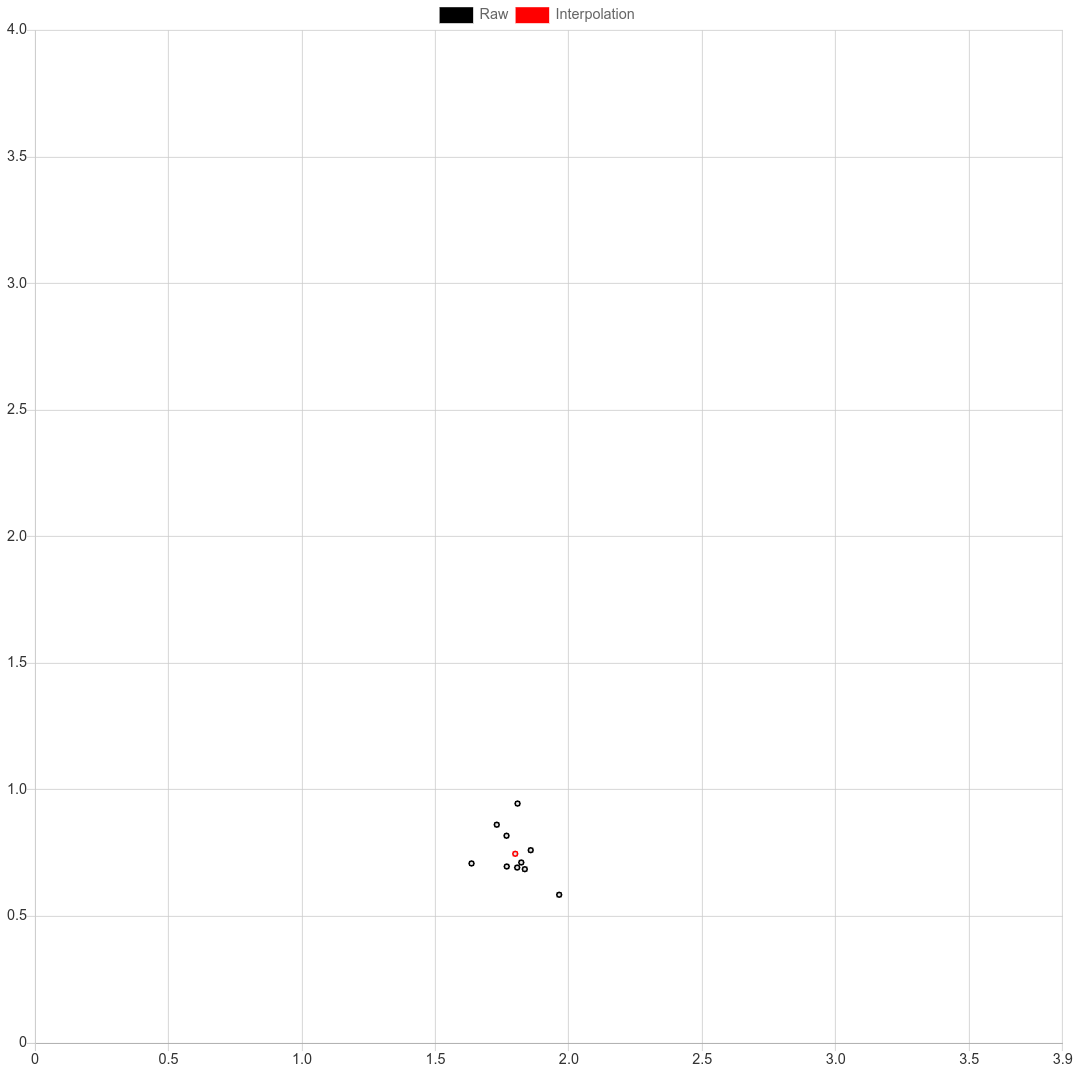
A new feature I added today was to interpolate the values that were loaded into the frontend via the API call. It is a different way of displaying the values on the map, the raw position data remains unchanged in the backend. All X and Y values are averaged, so that the red interpolation values sits in the middle of the black raw data cluster.
 { width=60% }
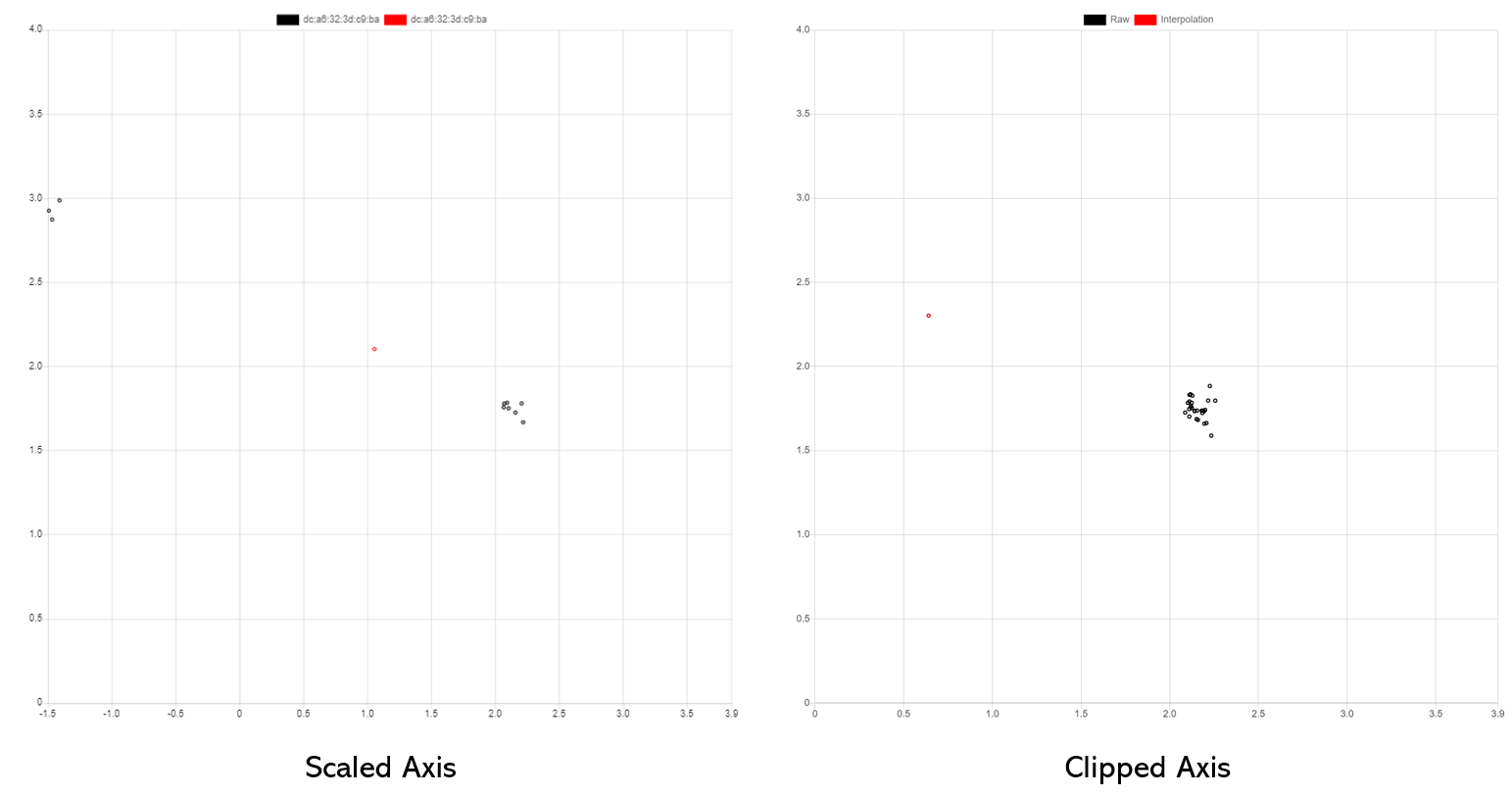
For the most part, especially in the middle of the field the accuracy in x- and y direction is spot on. The software quickly adapts to the new positions after roughly a second of confusion. Towards the edges only in X-direction there are considerable issues with accuracy. For some reason, clusters of data form in two or three spots based on which servers are selected for trilateration. The red interpolated value is actually often times a pretty good approximation of the actual value.
 { width=90% }
The left image shows the data with a scaled x-axis, so that the negative x values are also shown. On the right is the result with the negative X-values not shown. The interpolation is almost exactly at the right spot.
The reliability of the position estimates does not diminish considerably over the course of a few hours. Between lunchtime and 10PM I did not intentionally change any parameters other than the position of the clients for testing. Toward the end there didn't appear to be any real differences in accuracy.
Generally speaking the IPS can reliably estimate in which area of the room the client is. It always knows in which quarter of the grid the clients are located and can detect changes in position. As mentioned aforehand, in the middle of the X-axis the exact position estimate is also very good. But on the outer edges there is jitter, the interpolation bounces around alot yet remains within bounds of the grid.
# CPU issues once again
Another finding of today's testing session was that the backend can be overloaded if too many frontends are querying for the position data. I unknowingly exerted a roughly 400% CPU load by displaying the frontend on three separate devices. The API and database containers weren't too happy about that. XHR load times were around 5 seconds and the server was timing out frequently. Removing unnecessary frontend connections immediately got rid of the issue. I don't think I need to do anything in the code, because I do not intend to have many frontends active at once. That is beyond the scope of this demonstration.
CONTAINER ID     NAME               CPU %         MEM USAGE / LIMIT     MEM %
c5370fbaeb5d     ips-pma            0.00%         10.03MiB / 1.944GiB   0.50%
153073a1a370     ips-nginx          1.59%         6.23MiB / 1.944GiB    0.31%
e9e35ab430af     ips-trilaterator   34.05%        37.12MiB / 1.944GiB   1.86%
e035da2c407b     ips-api            194.52%       148.4MiB / 1.944GiB   7.46%
ab7fb1ec366e     ips-db             151.09%       83.42MiB / 1.944GiB   4.19%
24850844d1c1     ips-redis          3.86%         4.418MiB / 1.944GiB   0.22%