
# 05 17 Set avg gateway PLM coefficients
Today I set up the server infrastructure to allow for real time wireless transmission of the measurents and their evaluation in backend. The RSSI correction I have not yet looked at yet. Every server has a new column with the average gateway RSSI. This is not a problem for scalability of environments (multiple rooms to be monitored) since servers belong only to one environment. Servers aren't meant to be moved around the house. The gateway does not need to know the distance to the servers, so it can be placed anywhere in the setup. All it needs to pass to the backend is the
Where
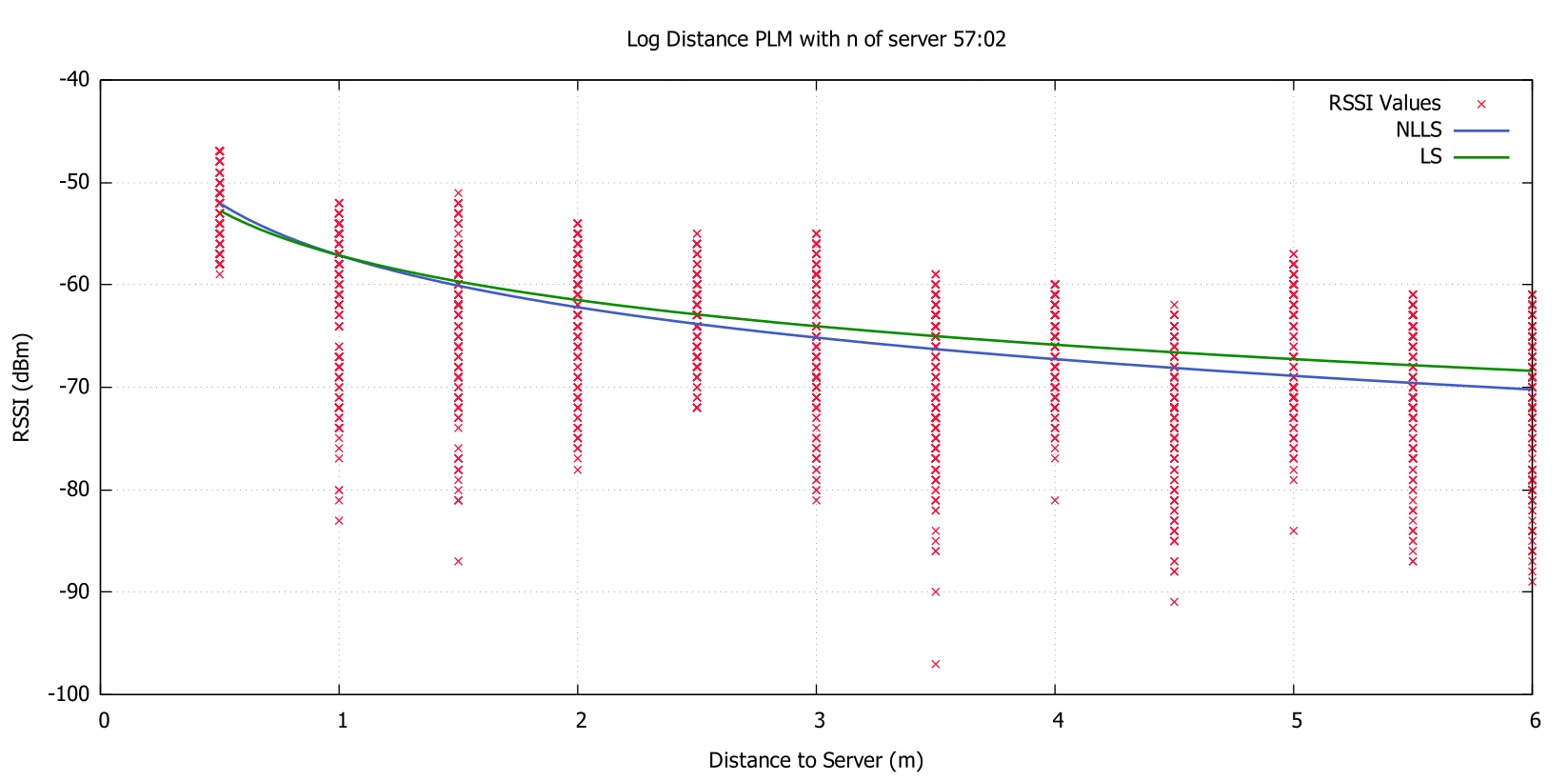
Here is a comparison of my linear least squares algorith vs the nonlinear least squares version from gnuplot. The green line and blue line are different, even though they have the same data as an input. I am contemplating if I should calculate the y-axis intercept with the least squares method or use the average for measurements at 1m as I do now.
# Problem
The server errors out when it is bombarded with too many requests from the gateway. I configured the gateway to send measurements without client side buffer. Previously this improved the throughput of a request, but for real time corrections it would have had too high latency. The server error message is the following:
laravel PDOException: SQLSTATE[HY000] [1045] Access denied for user 'forge'@'127.0.0.1' (using password: NO)
This only happens when too many requests come in at once. At a buffer size of 50 measurements I had no issues at all.
# Solutions and further actions
# Base buffer upload sequence on interval instead of size
I can fine tune the uploading by setting an interval after which the upload is initiated and the buffer is cleared. I like this option because it is rather simple and it does not depend on the amount of BLE Peripherals online. Currently the server count determines the uploading frequency since the upload sequence is called when a given buffer length is reached. More servers mean there are more frequent calls. I set this limit since I wanted to limit the request payload size. Uploading an uploading cycle of about 5 Hz should not surpass the hardware based POST limit of lumen oulined here which is about 50/s.
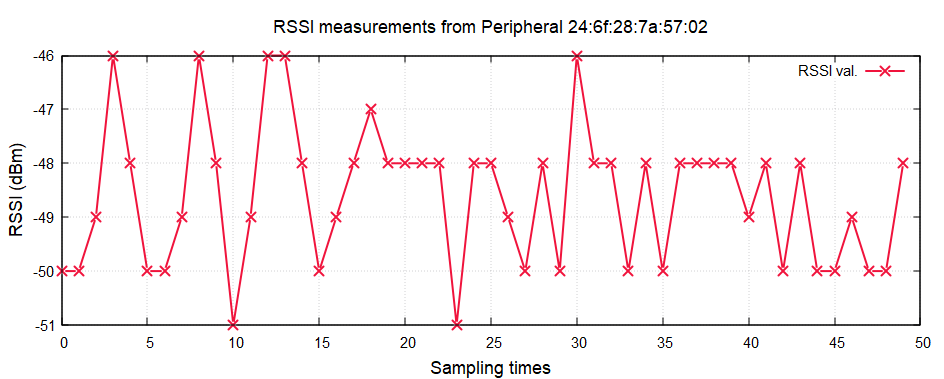
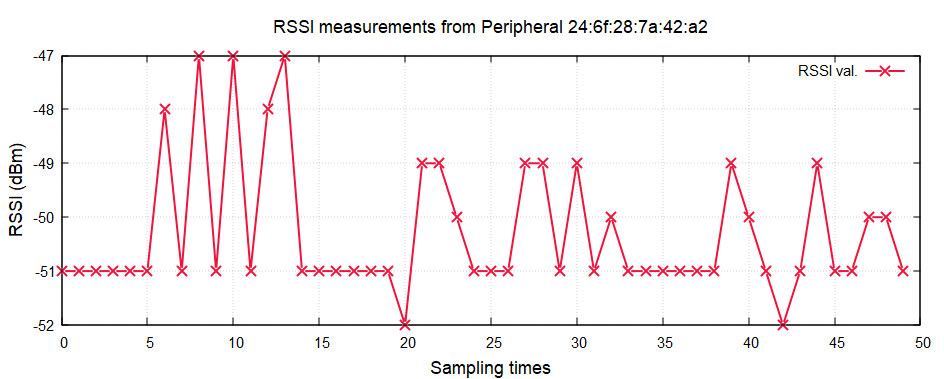
These sample graphs (randomly chosen) suggest that a polling rate between 5 and 10 Hz should offer a more or less "real time" picture of the fluctuations while still increasing throughput by a factor of 5 or 10 respectively. From past tests I know that it the server takes roughly ten measurements per seconds of a server's state. Even a polling rate of 5 Hz should be able to catch most peaks.
# Increase resource usage of backend
The idea is that my backend is not getting enough resources to run fast enough. The XAMPP default settings allow for a maximum memory usage of 512 Mb. I can easily crank this up to 4 Gb on my real server and PC with no questions asked. I am not sure if it is Apache, PHP or MySQL which might be short on system resources. I doubt that it is apache since the requests arent concurrent. PHP might be short on memory, which can bottleneck the backend. Lumen will be able to handle more requests if it has more memory. It is a bad practice to write bad code and then boost hardware specs to account for this so I am wary of this option.
# Save rolling average only in memory, not in SQL
My program is fairly inefficient since it writes all gateway measurements to the database. This is actually quite unnecessary and only slows down the program. The gateway only needs to have an average of measurements in the burst phase saved somewhere. The real time measurements themselves should not be stored, only the real time